Skip to content
Dozi

Private baby monitor for iPhone and iPad

Two iPhones. One baby monitor.

Dozi turns two iPhones or iPads on the same home Wi-Fi into a baby monitor. One watches your baby; the other shows live video and sound, alerts you when they cry and lets you talk back. No cloud, and nothing ever leaves your home.

Free to download · Free to try

Every feature, free for your first 3 days. No payment and no sign-up to start.

  • ✓ No cloud, no account
  • ✓ Never leaves your home
  • ✓ Encrypted connection
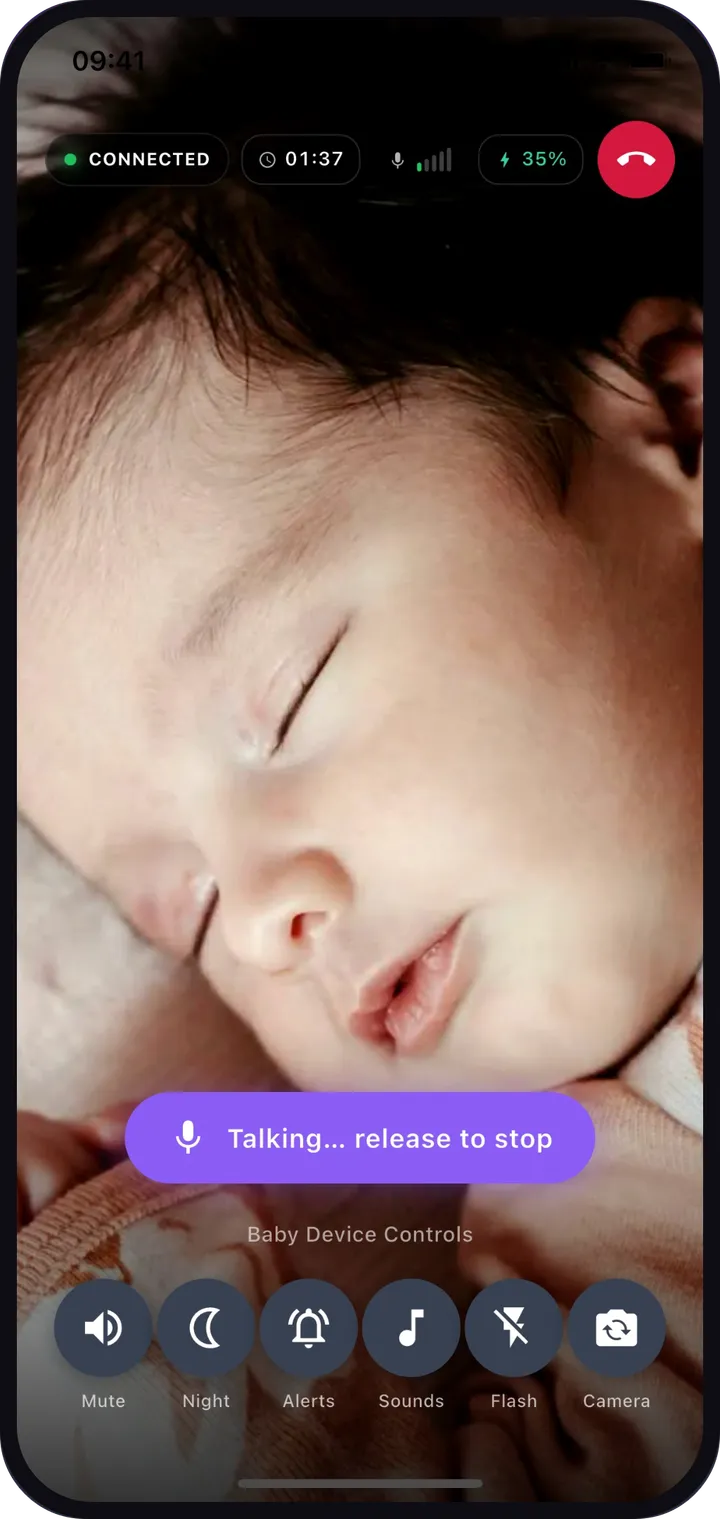
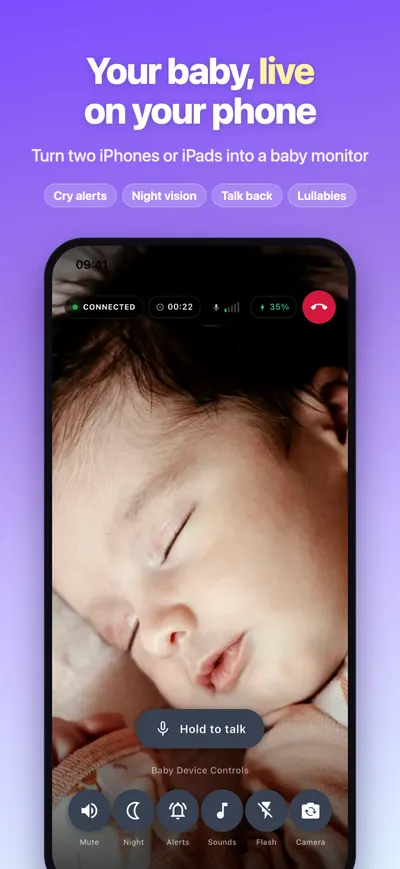
Dozi parent screen showing a live video of a sleeping baby, with hold-to-talk and baby device controls

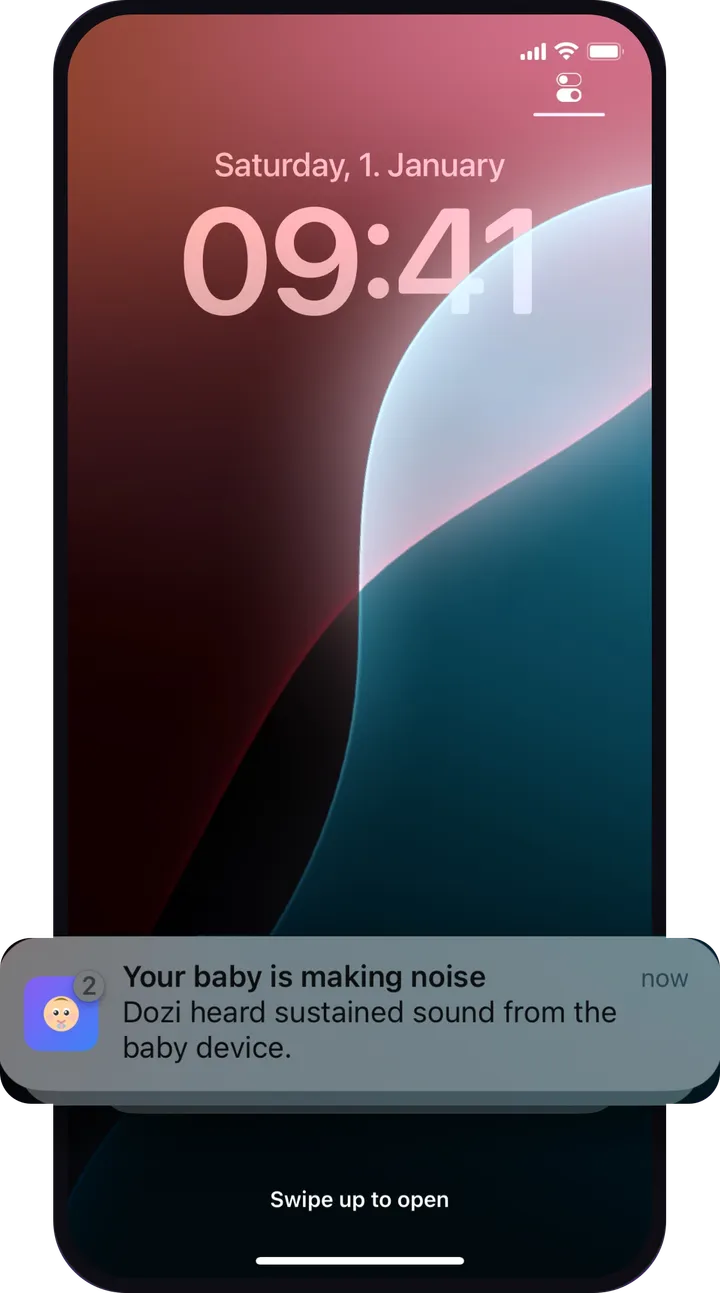
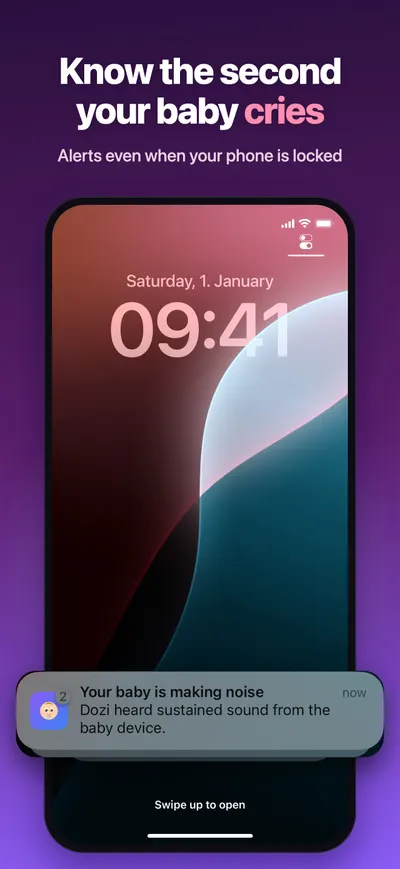
Your baby is making noise now

Dozi heard sustained sound from the baby device.

Private and secure

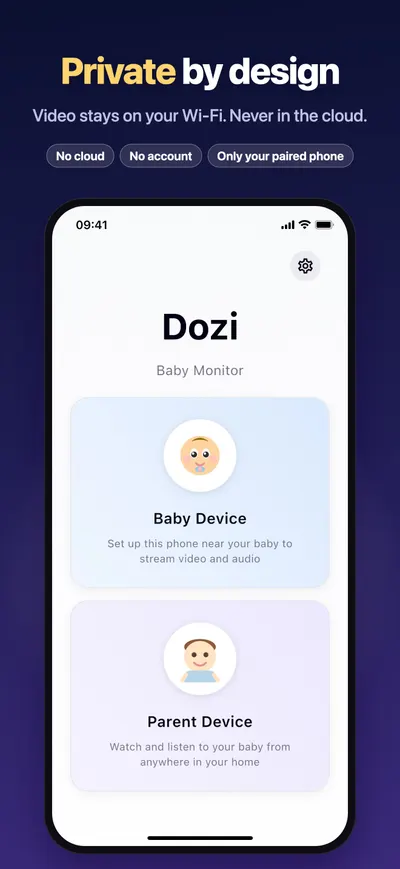
Your baby’s video never leaves your home

Many Wi-Fi baby cameras stream the nursery through a company’s cloud. Dozi doesn’t. The picture travels from one of your devices to the other, encrypted, and nowhere else.

Cloud server·not used

Your home Wi-Fi

Baby device

in the nursery

Encrypted, direct

Your phone

with you

How Dozi keeps your monitor private →

  • No cloud. Ever.

    There is no Dozi server for your video to go to. Nothing is uploaded, recorded or stored, so there is no footage anywhere to leak.

  • Never leaves your home

    Video and sound go straight from the baby device to your phone over your own Wi-Fi, without passing through the internet.

  • Encrypted and paired to you

    Every stream is encrypted between your two devices. A new one-time code in the QR code means only the phone that scanned it can watch.

  • Nothing else to sign up for

    No account, no login, no cloud storage plan and no third-party service. Just two devices you already own.

Set up in seconds

Pair two devices with a QR code

  1. 1

    Install Dozi on two devices

    Any two compatible iPhones or iPads will do, such as your phone and an older iPhone you no longer use. Connect both to the same home Wi-Fi.

  2. 2

    Choose a role on each

    On the device that stays with your baby, tap Baby Device. On the one you keep with you, tap Parent Device.

  3. 3

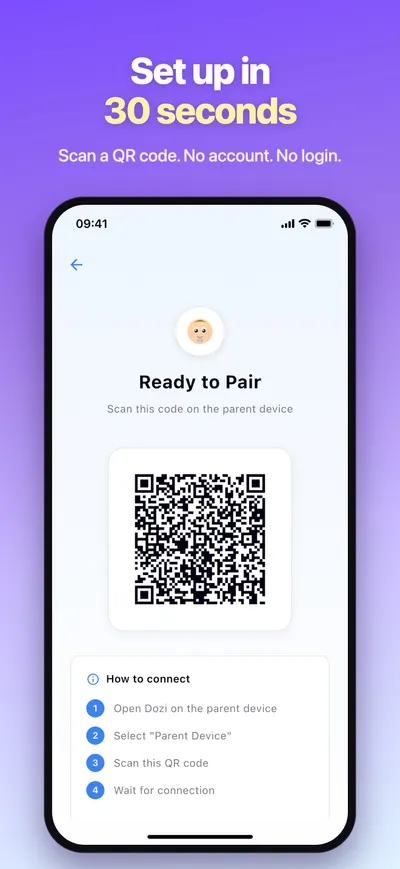
    Scan the QR code

    The baby device shows a QR code. Scan it with the parent device and the live view starts, encrypted and only on your phone. No account, no login.

Read the full setup guide →

Features

Everything you check a baby monitor for

Built for the moments that matter at night: knowing when they wake, seeing them in the dark and settling them without opening the door.

Live video and sound

See and hear your baby in real time on your phone or iPad, from any room on your home Wi-Fi.

  • The connection status, session timer and the baby device’s battery level are always on screen.
  • Switch between the front and back camera, or turn the flash on, from the parent device.
  • Mute the sound whenever you want silence; video keeps playing.
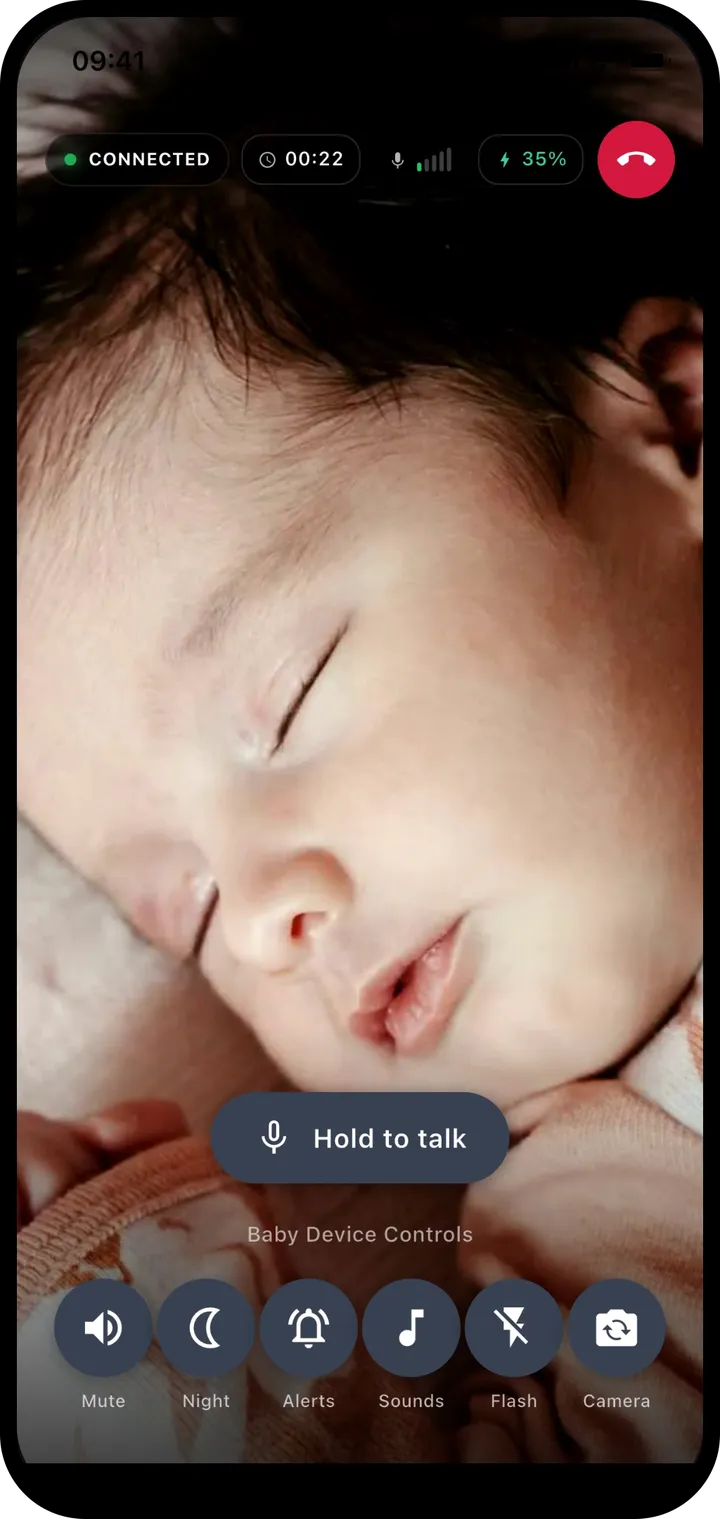
Dozi parent screen showing a live video of a sleeping baby, with hold-to-talk and baby device controls

Cry alerts, even when your phone is locked

Put your phone down or lock it. When the baby device hears sustained sound, Dozi sends a notification so you know straight away.

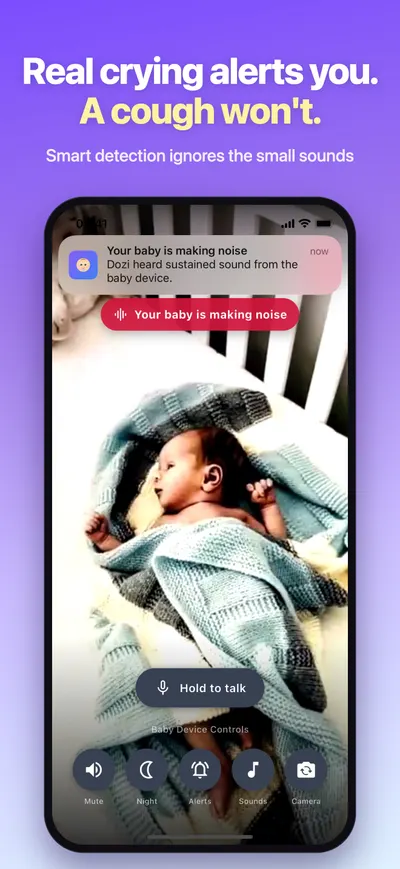
  • Smart detection listens for sound that keeps going, so a single bang or cough does not wake you.
  • Dozi learns steady background noise, such as a white-noise machine, so it is not mistaken for crying.
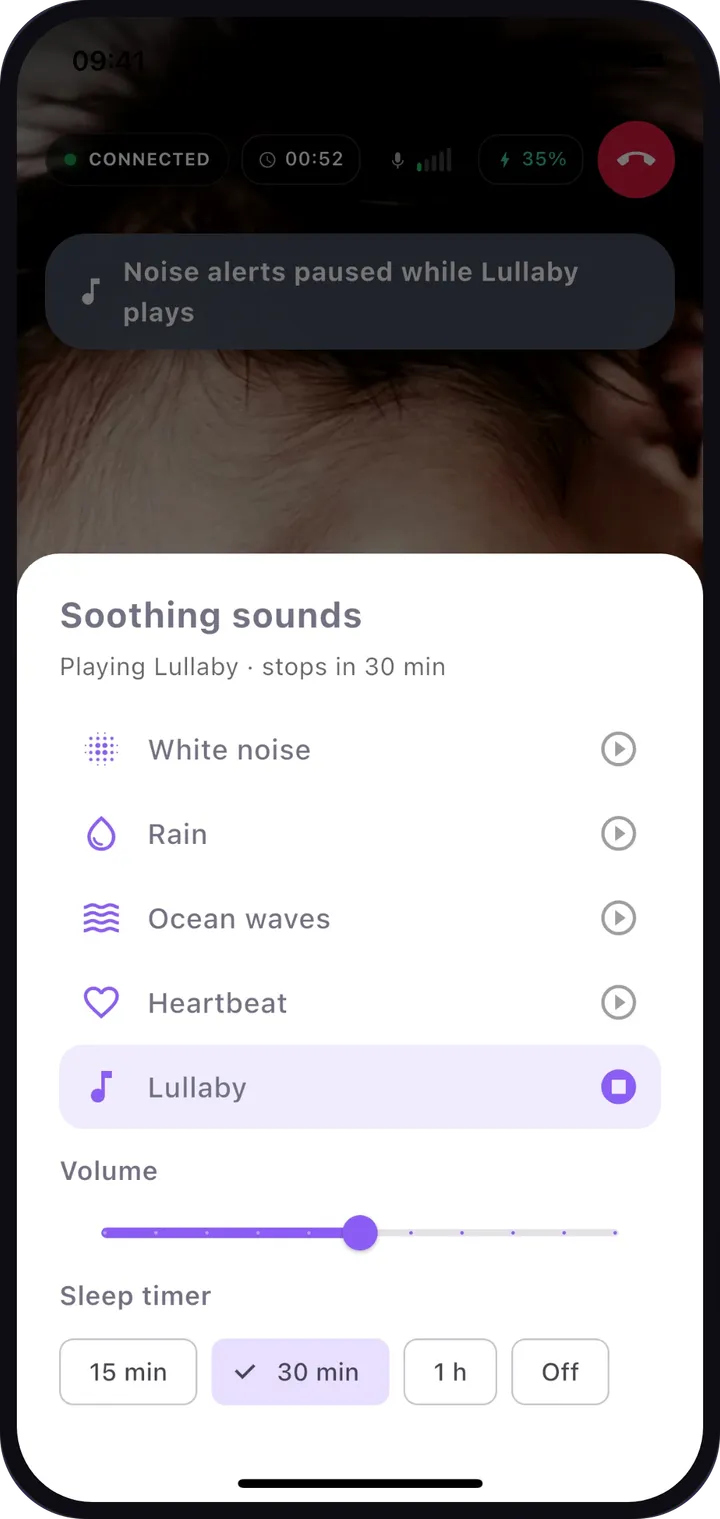
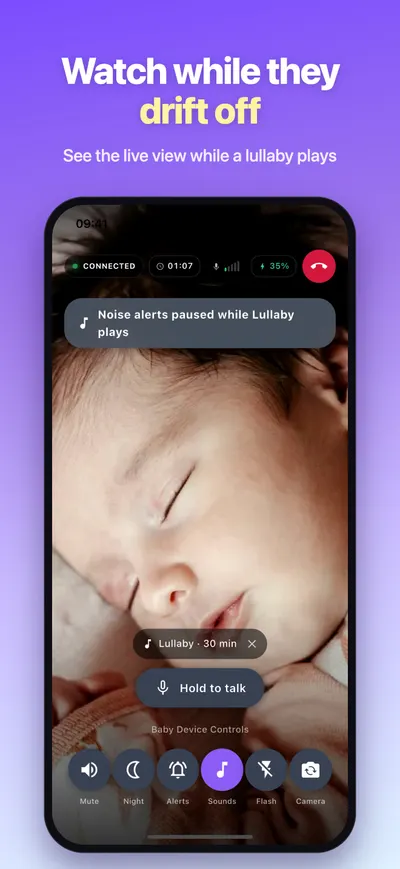
  • Alerts pause automatically while a lullaby or soothing sound is playing on the baby device.
iPhone lock screen with a Dozi notification: your baby is making noise

Night vision with one tap

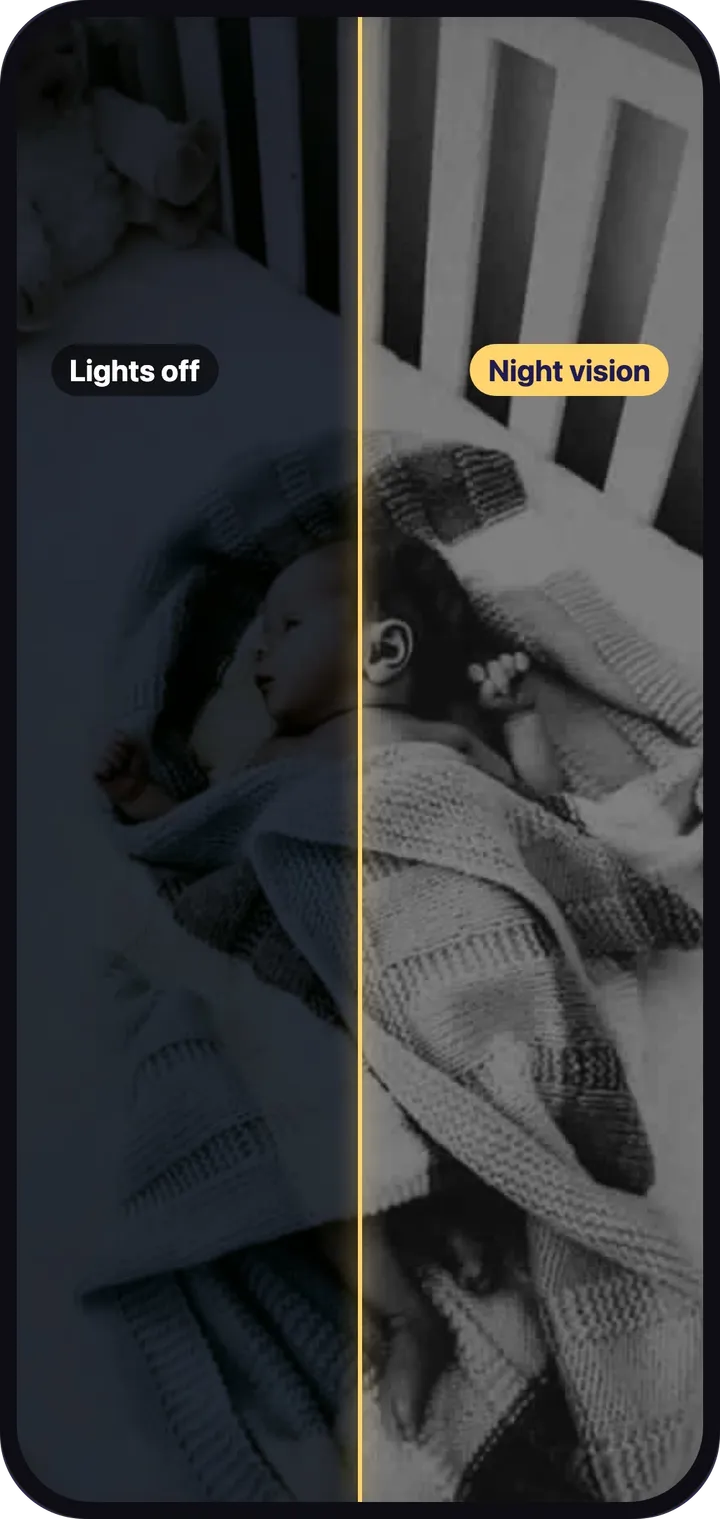
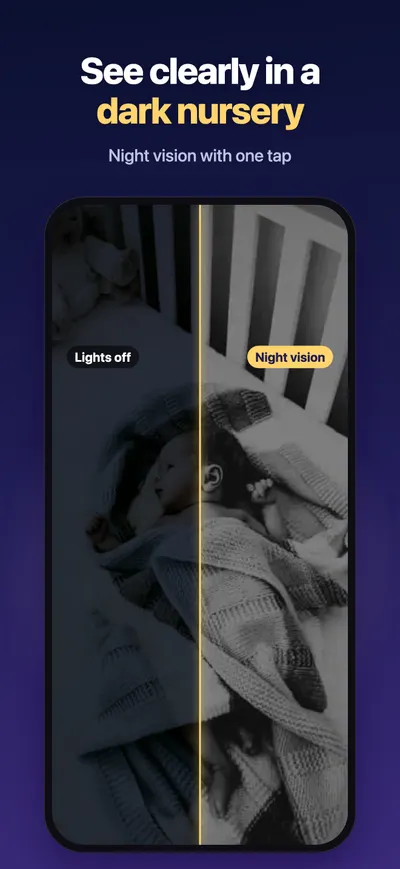
See clearly in a dark nursery. Night mode brightens the picture so you can check on your baby without turning on a light.

  • Toggle night vision from the parent device at any time.
  • It boosts the iPhone or iPad camera in low light. It is not an infrared camera, so it works best with a little light in the room.
  • The baby device’s screen dims to black after a few seconds, so it does not light up the room. A tap brings it back.
Split view of a dark nursery: lights off on one side, Dozi night vision on the other

Talk back

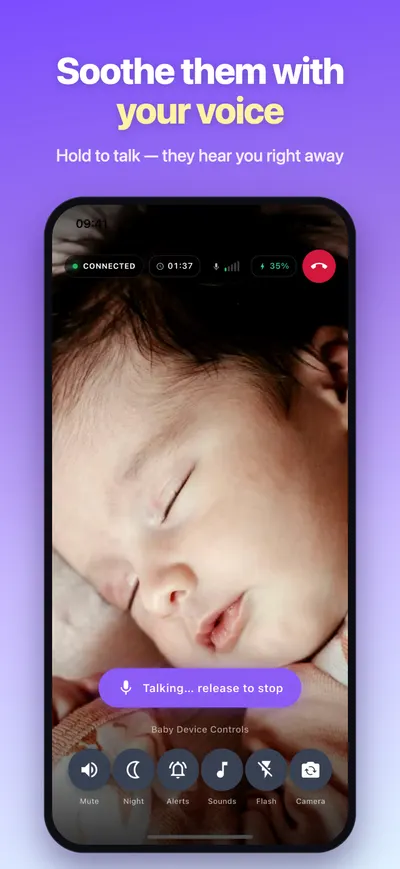
Hold to talk and your baby hears your voice right away through the baby device. Release to stop.

  • Push-to-talk means the baby only hears you when you mean them to.
Dozi parent screen while holding to talk to the baby

Lullabies and white noise

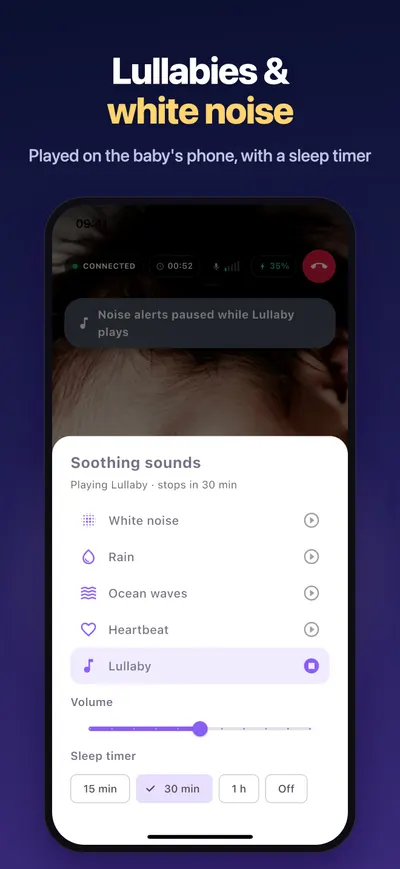
Play white noise, rain, ocean waves, a heartbeat or a lullaby on the baby’s device, and keep watching while it plays.

  • Adjust the volume from your phone.
  • Set a sleep timer of 15 minutes, 30 minutes or 1 hour, or leave it playing.
Dozi soothing sounds panel with white noise, rain, ocean waves, heartbeat and lullaby, plus a sleep timer

Explore all features →

Inside the app

See Dozi on iPhone

  • Your baby, live on your phone
  • Know the second your baby cries, even when your phone is locked
  • Real crying alerts you, a cough won’t
  • See clearly in a dark nursery with night vision
  • Soothe them with your voice: hold to talk
  • Lullabies and white noise with a sleep timer
  • Watch while they drift off
  • Set up in 30 seconds by scanning a QR code
  • Private by design: no cloud, no account

Guides

Help for nights at home

All guides →

FAQ

Questions parents ask

Can’t find your answer? See all questions or contact support.

Do both devices need to be on the same Wi-Fi?

Yes. Dozi connects your baby device and your parent device directly over your local Wi-Fi network, which is why the video never needs to go through a cloud server.

Is my video uploaded or recorded?

No. Video and audio go directly from the baby device to your paired parent device on your Wi-Fi and never leave your home. Dozi does not record or store them, and there is no cloud.

Is the connection between the two devices secure?

Yes. Dozi streams over WebRTC, which always encrypts audio and video (DTLS-SRTP). On top of that, each monitoring session gets a new one-time secret code, shared only through the QR code on the baby device. The baby device refuses any device that cannot present it.

Do I need a cloud plan or any other service?

No. There is no cloud storage plan, no account and no third-party service to sign up for, and no extra hardware to buy. You need two iPhones or iPads and your home Wi-Fi. Dozi itself is free to download and free to try.

Will I be alerted when my baby cries and my phone is locked?

Yes. Allow notifications when Dozi asks, start watching, then lock your phone. When the baby device hears sustained sound, the parent device shows a notification. Keep Dozi running in the background rather than force-quitting it.

Is Dozi free?

Dozi is free to download and free to try. Every feature works for your first 3 days, with nothing to buy and no payment details to enter. After that, you can choose a plan in the app; the App Store shows the price in your country before you confirm anything.

Turn your spare iPhone into a baby monitor

Install Dozi on two iPhones or iPads, scan a QR code and watch your baby from anywhere in your home. No cloud, and nothing leaves your home.

Download on the App Store

Free to download · Free to try

Every feature free for your first 3 days · No account