
How it works
From two iPhones to a baby monitor in three steps
Dozi connects a baby device and a parent device directly over your home Wi-Fi. There is nothing to sign up for and no hardware to buy.
- 1
Install Dozi on two devices
Any two compatible iPhones or iPads will do, such as your phone and an older iPhone you no longer use. Connect both to the same home Wi-Fi.
- 2
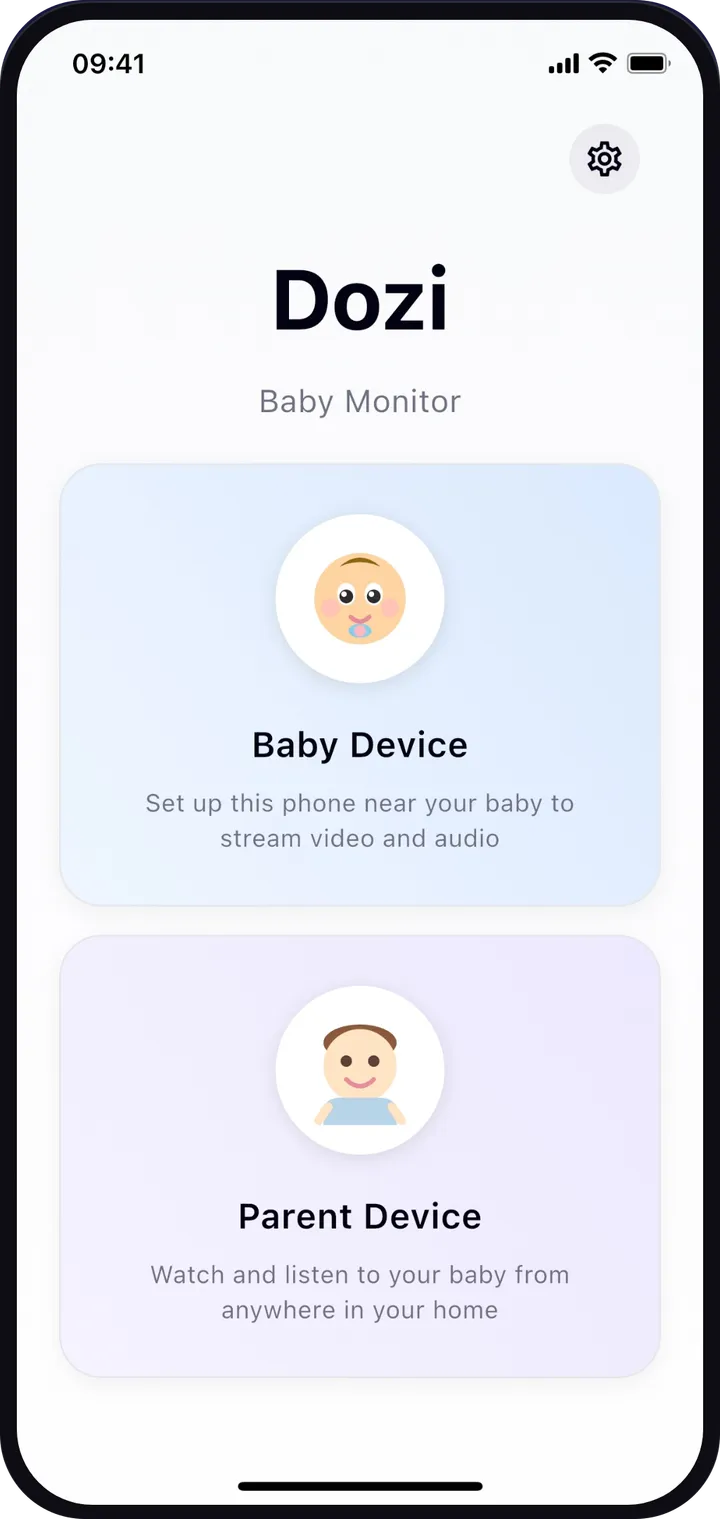
Choose a role on each
On the device that stays with your baby, tap Baby Device. On the one you keep with you, tap Parent Device.
- 3
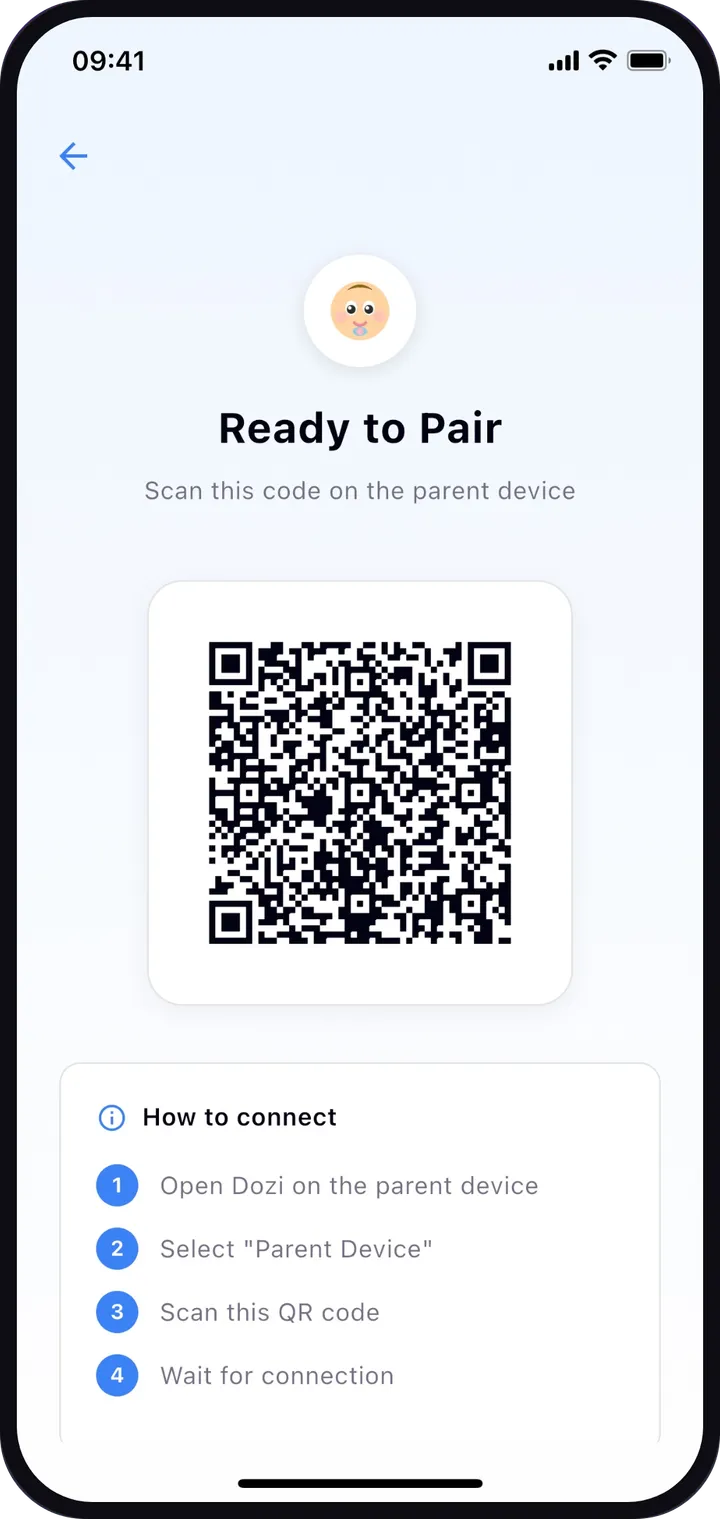
Scan the QR code
The baby device shows a QR code. Scan it with the parent device and the live view starts, encrypted and only on your phone. No account, no login.
Tips for a reliable night
A few habits make the connection steadier. More in our guides.
- Keep both devices on the same Wi-Fi network for the whole session.
- Plug the baby device into a charger. You can check its battery level from the parent device.
- Place the baby device out of your baby’s reach, with a clear view of the cot or crib, and keep cables well away from it.
- Allow camera, microphone, local network and notification access when Dozi asks. Without them it cannot stream or alert you.
- Leave Dozi running in the background on the parent device. Don’t force-quit it, or alerts stop.
Why the same Wi-Fi? Because it keeps your baby private
Dozi sends video and audio straight from one device to the other inside your home network, encrypted. Nothing travels through a cloud server, so there is no account to create, no recordings stored anywhere and nothing that leaves your home. It also means both devices need to be connected to the same Wi-Fi network.
The QR code does more than pair your devices: it carries a new one-time secret code for each session, so only the phone that scanned it can connect.
Read more about privacy and security or in the FAQ.
Turn your spare iPhone into a baby monitor
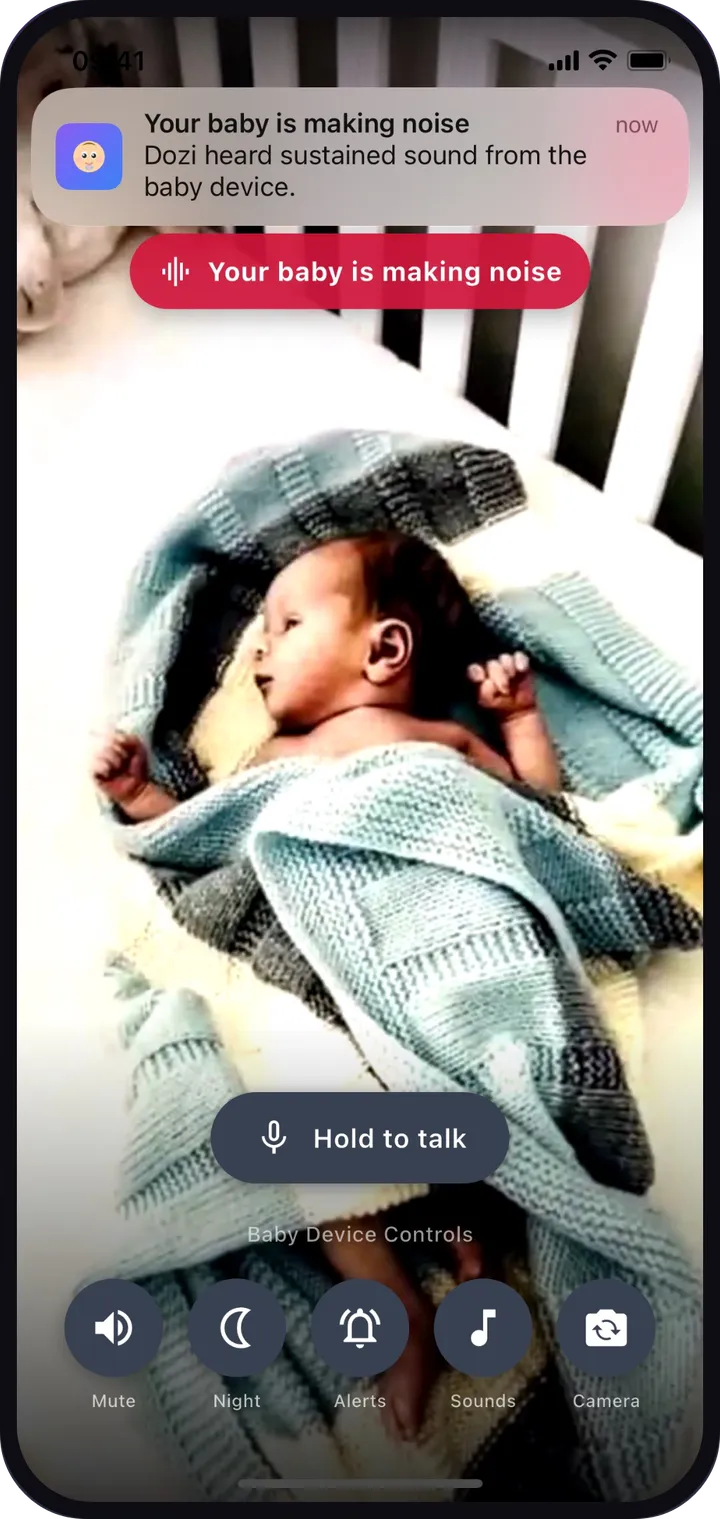
Install Dozi on two iPhones or iPads, scan a QR code and watch your baby from anywhere in your home. No cloud, and nothing leaves your home.
 Download on the App Store
Free to download · Free to try
Every feature free for your first 3 days · No account